How do you select Downtown?
On the Create Game screen, use the Map selector to choose Downtown and check the Mode separately. In the example captured below, Downtown is paired with Turf War. These are two different selectors: Downtown is the location; Turf War supplies the territory-control objective.
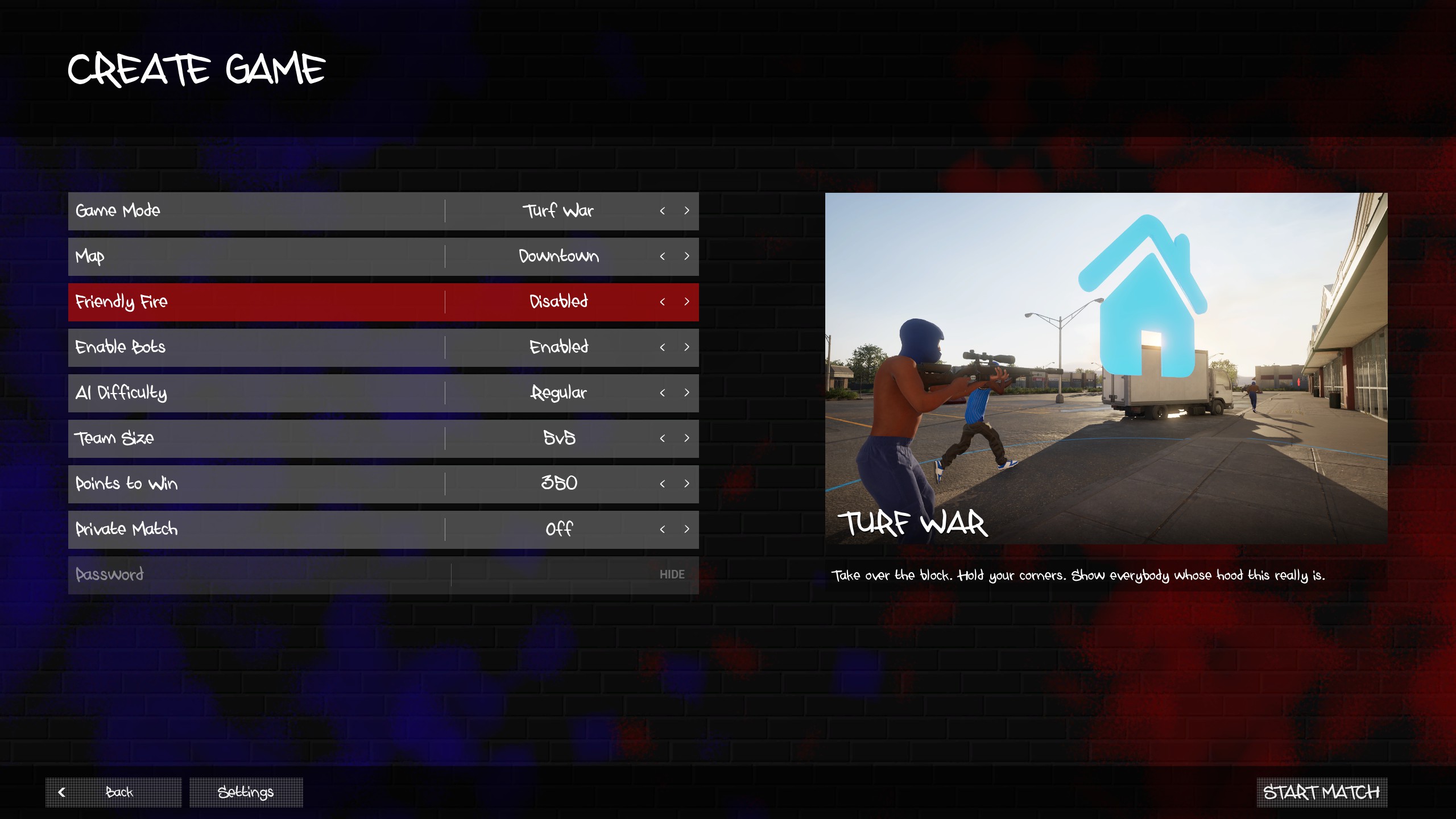
Settings visible in this example
| Menu field | Captured value | What to check before starting |
|---|---|---|
| Mode / Map | Turf War / Downtown | Check both selectors, especially after switching modes. |
| Enable Bots / AI Difficulty | Enabled / Regular | Use the settings shown in your own lobby; Regular is the captured choice. |
| Team Size | 5v5 | Read the actual team-size selection rather than assuming it applies to every mode. |
| Points to Win | 350 | This is the selected target in this example, not a universal Downtown rule. |
| Friendly Fire | Disabled | Check the current setting before inviting friends. |
| Private Match | Off | This screenshot does not show a password-protected lobby. For a private session, review the private-match guide. |
The developer’s Steam description supports choosing a map, mode, and settings for a bot match. It also names Downtown among the game’s locations. The screenshot adds a concrete view of that setup without assuming every map supports every mode.
What does Downtown look like in Turf War?
The captured street view shows an intersection, buildings, trees, and a fenced edge. It gives you a visual reference for the setting; it is not an overhead map or a diagram of safe routes.
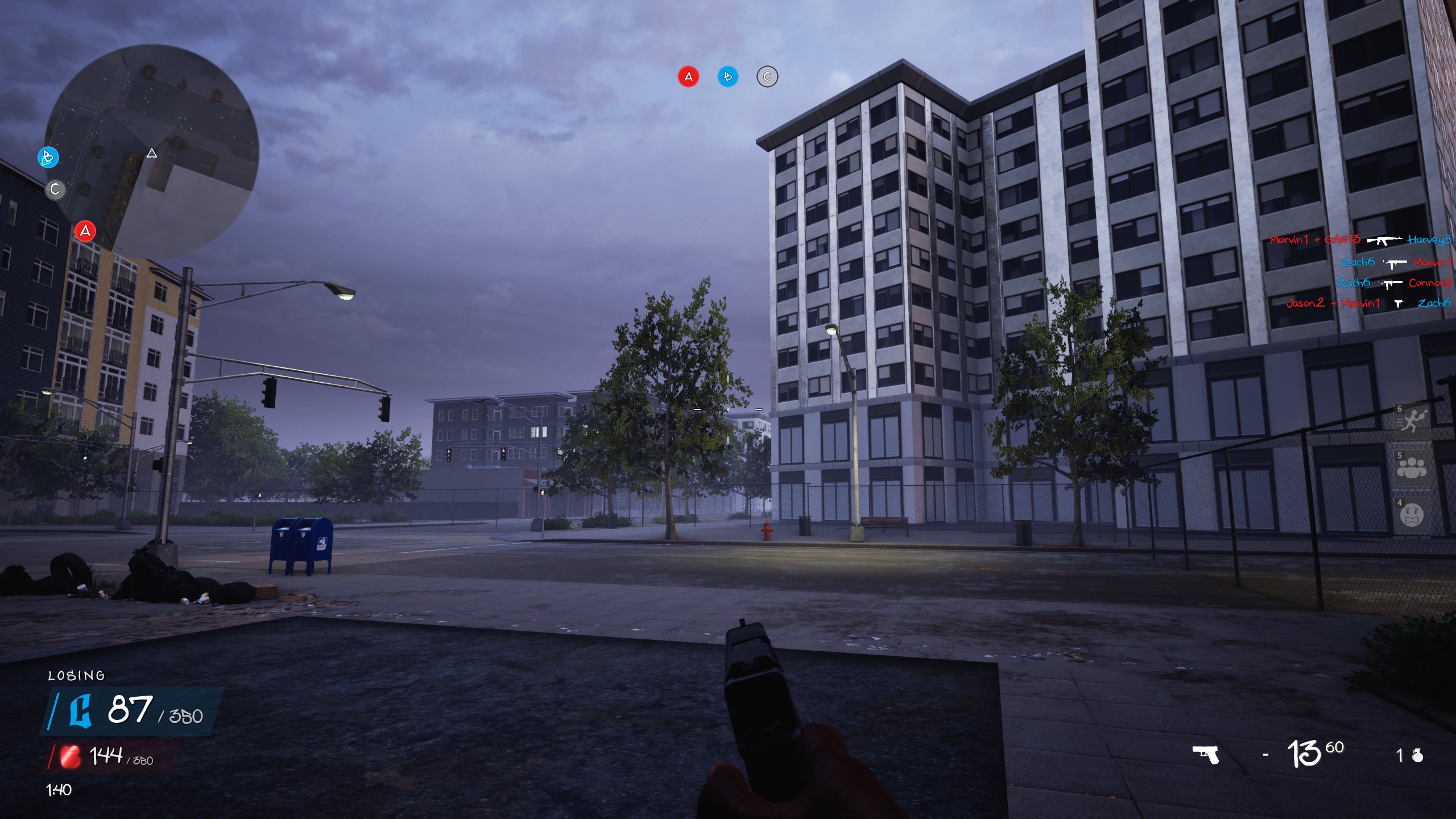
Read the HUD before moving
- Top center: three objective indicators labeled A, B, and C. Their colors show the state captured in this moment; they are not fixed assignments for the whole match.
- Top left: the minimap gives local orientation. The screenshot does not reveal the full playable boundary or all routes between objectives.
- Bottom left: the team scoreboard includes the 350-point target, matching the setting selected above.
- Bottom right: the equipped pistol shows 13 / 60 ammunition and a grenade indicator. These are momentary HUD values, not a weapon-stat table or proof of a starting ammo allowance.
The published Turf War objective is to earn points from held territory. Use the objective indicators and score to understand the match state; a kill count by itself does not explain who controls the turf.
What is still untested on Downtown?
We have not completed a route comparison, measured sightlines or travel times, checked every spawn, or compared loadouts across full Downtown matches. The 1.0.10 patch notes discuss spawn changes across the game, so a still image should not be used to promise a safe spawn or a reliable flank. Detailed callouts and route recommendations will need a dated, repeatable check in the current build.
For now, this page answers how to identify the map, which settings are visible in the example, and where to read key Turf War information. Continue with the map index, beginner guide, or weapon menu reference.